
 PomoZentra
Your detailed tasks already live elsewhere
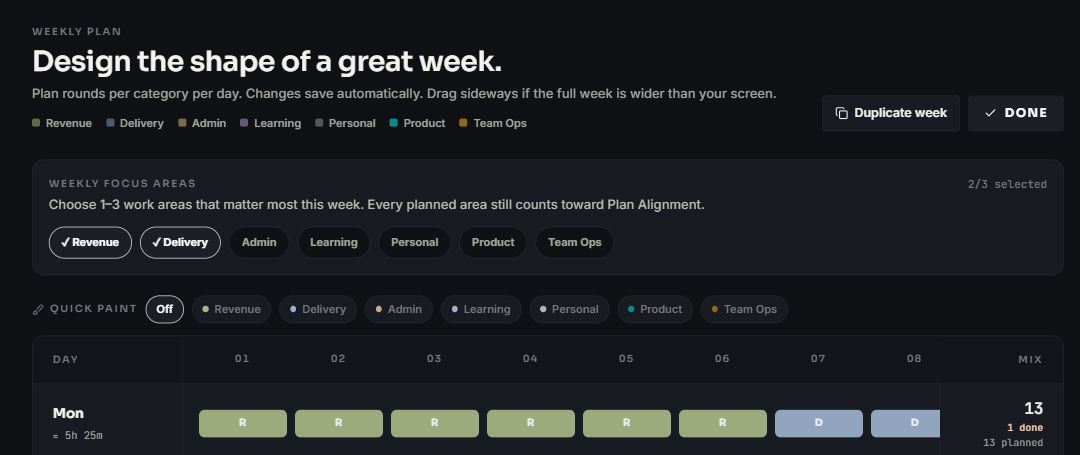
Use PomoZentra when you need a lightweight execution queue connected to weekly work areas, planned rounds and Plan Alignment.
Focus To-Do goes deeper into task management. PomoZentra goes deeper into whether completed rounds matched the week's priorities.
Choose Focus To-Do when due dates, reminders, subtasks, repeating work and device sync should live beside the Pomodoro timer. Choose PomoZentra when tasks already have a home and the missing layer is a weekly plan by work area.
Skip to the verdictTimer and tasks work without an account. Weekly planning and reports require free sign-in. No card required.
Both combine tasks and Pomodoro sessions, but the centre of gravity is different.
Use PomoZentra when you need a lightweight execution queue connected to weekly work areas, planned rounds and Plan Alignment.
Use Focus To-Do when due dates, reminders, subtasks, repeats, reports and synchronised devices are part of the same daily task workflow.
You can keep the task system you trust and use PomoZentra for the layer it does not provide.
Decide how many rounds important areas should receive across the week.
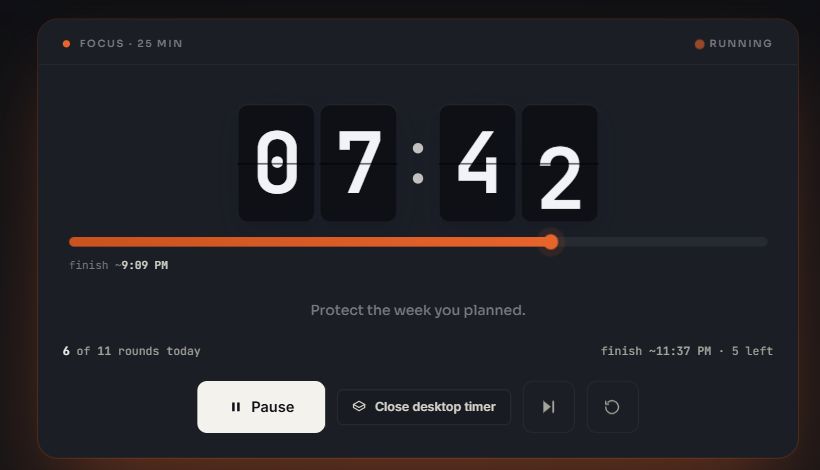
Use a lightweight task queue and run the current task in the browser or floating timer.
Review whether completed rounds reached every planned area rather than only closing tasks.
The right product depends on how much task structure belongs beside the timer.
| Decision factor | What it means | PomoZentra | Focus To-Do |
|---|---|---|---|
| Task depth | How much structure a task can hold. | Lightweight tasks, steps, planned rounds, categories and a current-day queue. | Its official page lists due dates, reminders, subtasks and repeating tasks. |
| Pomodoro record | How focused work connects to the current task. | Completed and partial rounds contribute to task progress and work-area reporting. | Pomodoro sessions are combined directly with the task-management workflow and reports. |
| Weekly planning | Whether planned effort is distributed across work areas before the week starts. | A dated weekly plan assigns rounds by work area and day. | Its official page describes task scheduling features, not PomoZentra-style weekly work-area allocation. |
| Review | The question reports are designed to answer. | Did completed rounds follow the planned distribution across work areas? | What task and Pomodoro progress was recorded across the user's synchronised workflow? |
| Devices | Where the task and timer need to remain available. | Browser-based with account sync and desktop Picture-in-Picture where supported. | Its official page states that data synchronises between multiple devices. |
| Existing task system | Whether adopting the focus tool requires moving the main task list. | Can sit beside another task manager because weekly work areas and focus rounds are the primary layer. | Delivers more value when its due dates, reminders, subtasks and repeating tasks hold the working list. |
Price matters, but so does moving or duplicating an established task system.
Every current feature is free. Timer and tasks need no account. Weekly planning, reports, exports and sync require free sign-in.
Focus To-Do's official page verifies its task, Pomodoro, reporting and sync capabilities but does not provide enough current plan detail for a maintainable price comparison here.
Check the current official detailsA deeper task manager and a weekly focus-planning layer can serve different parts of the same system.
PomoZentra statements were checked against the current product and repository. Focus To-Do statements use the official sources below. Pricing can change, so current plan details stay on the competitor's own site.
Focus To-Do. Its official page lists due dates, reminders, subtasks and repeating tasks. PomoZentra deliberately uses a lighter task queue connected to weekly work areas and focus rounds.
Yes. PomoZentra can be used as a weekly focus-planning layer while detailed tasks remain in another system. There is no integration, so only keep the task detail needed to run the current round.
PomoZentra supports scheduled and recurring task workflows, but it is not positioned as an equivalent replacement for Focus To-Do's due-date, reminder and subtask depth.
No. PomoZentra currently has no Focus To-Do import. Its recommended use is to keep detailed task management in the existing source of truth and add only the weekly focus layer you need.
No. PomoZentra currently runs in the browser. It provides a floating Picture-in-Picture timer on supported desktop browsers and account sync for signed-in workspace features.
Start the PomoZentra timer without an account, or sign in free to connect future rounds to planned work areas.